





Mobile Gaming Accessories That Actually Help: A Functional Guide 2026
Your phone is overheating. Your thumbs are sliding off the glass. You just lost a ranked match because your frame rate dipped at the exact moment you peeked a corner.
The mobile gaming market is flooded with gadgets promising to fix these problems. Ads push "cooling cases" that actually trap heat, cheap plastic triggers that scratch screens, and "gaming" earbuds with 200ms lag. Meanwhile, forums are full of skeptics asking if any of this gear is actually worth the money.
We believe in physics, not hype.
Instead of a random list of products, we broke down the four pillars of mobile performance—Control, Thermals, Power, and Audio—and analyzed their real-world impact based on official specifications. Here is your guide to building a mobile loadout that actually boosts your win rate.
The Core Categories (What They Do and Don’t)
Before you buy, you need to know what problem you are solving.
Control/Input: Gamepads and triggers fix touch imprecision and screen blocking. Key Factor: Hall Effect Sticks & Zero Latency.
Cooling/Thermals: Passive cases do little; active fans help; detachable liquid coolers do the real heavy lifting. Key Factor: Wattage (36W+) and Semiconductor Tech.
Power/Endurance: Charging adds heat. Key Factor: Charge Separation support.
Audio/Awareness: Sound is intel. Key Factor: Low-latency codecs vs. wired connection.
Pro Tip: How to Spot "Snake Oil" (DIY Testing Guide)
Don't just take a marketing page's word for it. Here is how you can test if an accessory is actually working using your own device.
1. The Heat Soak Test
Don't just play for 5 minutes. Play for 20 minutes. Most phones can handle short bursts. Real thermal throttling happens once the heat "soaks" the internal components. If an accessory doesn't help at minute 20, it’s useless.
2. The Power Test
Check your FPS while charging. If it drops significantly compared to playing on battery, your phone is heat-throttling from the charging circuit. You don't need a fan; you likely need Charge Separation.
3. The Metrics That Matter
Ignore "Peak FPS." Look at Frame-Time Stability (stutter) and Core Temp.
-
Warning: A thick case might make the surface feel cool (acting as an insulator), while the core temperature is skyrocketing. Real cooling drops the Core Temp.
Control & Input: Stop "Glass Gaming"
Touch controls have inherent delay and zero tactile feedback. Moving to physical controls is the single biggest upgrade for aim and movement.
Latency Check: Touch vs. Bluetooth vs. Wired
We analyzed the signal path delay based on standard industry protocols.
| Input Method | Latency Estimate | Source / Context | Verdict |
| Standard Touchscreen | 20-40ms | Display pipeline lag. | Blocks vision, slippery |
| Bluetooth Gamepad | 80-150ms* | Standard Codec latency. | Noticeable lag in shooters |
| Direct-Connect (USB-C) | ~0ms | Direct HID polling. | Esports Standard |
*Note: Bluetooth latency varies heavily by codec. Direct connection is the only way to guarantee zero interference.
Recommendation:
-
Entry: Clip-on triggers improve ergonomics but don't fix latency.
-
Pro: The [REDMAGIC Shadow Blade Gamepad 3] eliminates signal delay entirely.
-
Zero Drift: Uses Hall Effect Joysticks (magnetic sensors) instead of mechanical parts, preventing the "stick drift" that plagues standard controllers.
-
Zero Latency: Connects directly via the adjustable Type-C port, treating your phone as a native handheld console.
-
Cooling: Myth-Busting Cases vs. Coolers
This is where most gamers waste money. There is a massive difference between dissipating heat (spreading it out) and refrigerating it (active cooling).
The Physics of Cooling
-
Passive Cases: Act as heat spreaders. Good for comfort, but once saturated, they stop working.
-
Active Coolers: Use electricity (TEC) to physically remove heat from the device.
The Solution: REDMAGIC VC Cooler 6 Pro
For 2026 flagship games, simple air cooling isn't enough. The [REDMAGIC VC Cooler 6 Pro] introduces liquid cooling technology into a detachable clip.
-
The Tech: It utilizes 36W Peak Power to drive a custom 3D Vapor Chamber and semiconductor plate.
-
The Result: Official data shows it can drop surface temperatures by up to 35°C, capable of reaching freezing points (-12°C min) under optimal conditions.
-
The Benefit: It stops thermal throttling dead in its tracks, keeping your frame rate locked even while charging.
-
Design: Its magnetic/clip-on design keeps your ports and antennas free, unlike bulky metal cases that block 5G signals.
Power & Heat Management
Charging while gaming is the #1 cause of overheating. The battery generates heat, the CPU generates heat, and your phone cooks.
The Solution: Charge Separation (Bypass Charging)
The best power accessory isn't just a battery bank—it's a feature.
-
How it works: When using a Redmagic phone with a high-power charger (like the DAO 150W GaN), power is sent directly to the motherboard, bypassing the battery completely.
-
The Result: You eliminate battery heat entirely.
-
The Gear: Use a high-quality L-Shaped Cable to keep the wire out of your grip.
Build Your Loadout: Recommendations by Scenario
Don't buy random accessories. Build a system based on how you play.
1. The "Road Warrior" Loadout (Commuting)
-
Best for: RPGs, Emulation, Casual play.
-
Gear: Compact Controller + Foldable Stand.
-
Why: Portability is king. Passive cooling is usually enough for short trips.
2. The "Esports Pro" Loadout (Ranked Play)
-
Best for: Competitive Shooters (COD Mobile, PUBG), Heavy Open-World.
-
Gear: [REDMAGIC VC Cooler 6 Pro] + [REDMAGIC Shadow Blade Gamepad 3] + Charge Separation Cable.
-
Why: Maximum FPS stability. Infinite playtime with 36W cooling and Hall Effect precision.
3. The "Ultimate" Loadout (No Accessories Needed)
-
Best for: The Purist.
-
Gear: [REDMAGIC 11 Pro].
-
Why: It has the cooler (Integrated 24,000 RPM Turbofan + 13,116 mm² VC) and shoulder triggers built-in. The phone is the accessory.
FAQ / Quick Answers
- Do cooling cases work?
Only marginally. They are comfortable but cannot stop internal throttling. An active cooler (like the VC Cooler 6 Pro) beats a case by a wide margin. - Will metal/graphene cases hurt my Wi-Fi?
Yes, it is possible. Metal interferes with antennas. Always test your ping before and after installing a case. - Is Bypass Charging safe?
Yes. It is actually safer for your battery than standard charging because it reduces charge cycles and heat stress.
Ready to upgrade your setup?
Explore the full ecosystem of [REDMAGIC Phone Accessories] designed to work seamlessly together.
Más vendidos
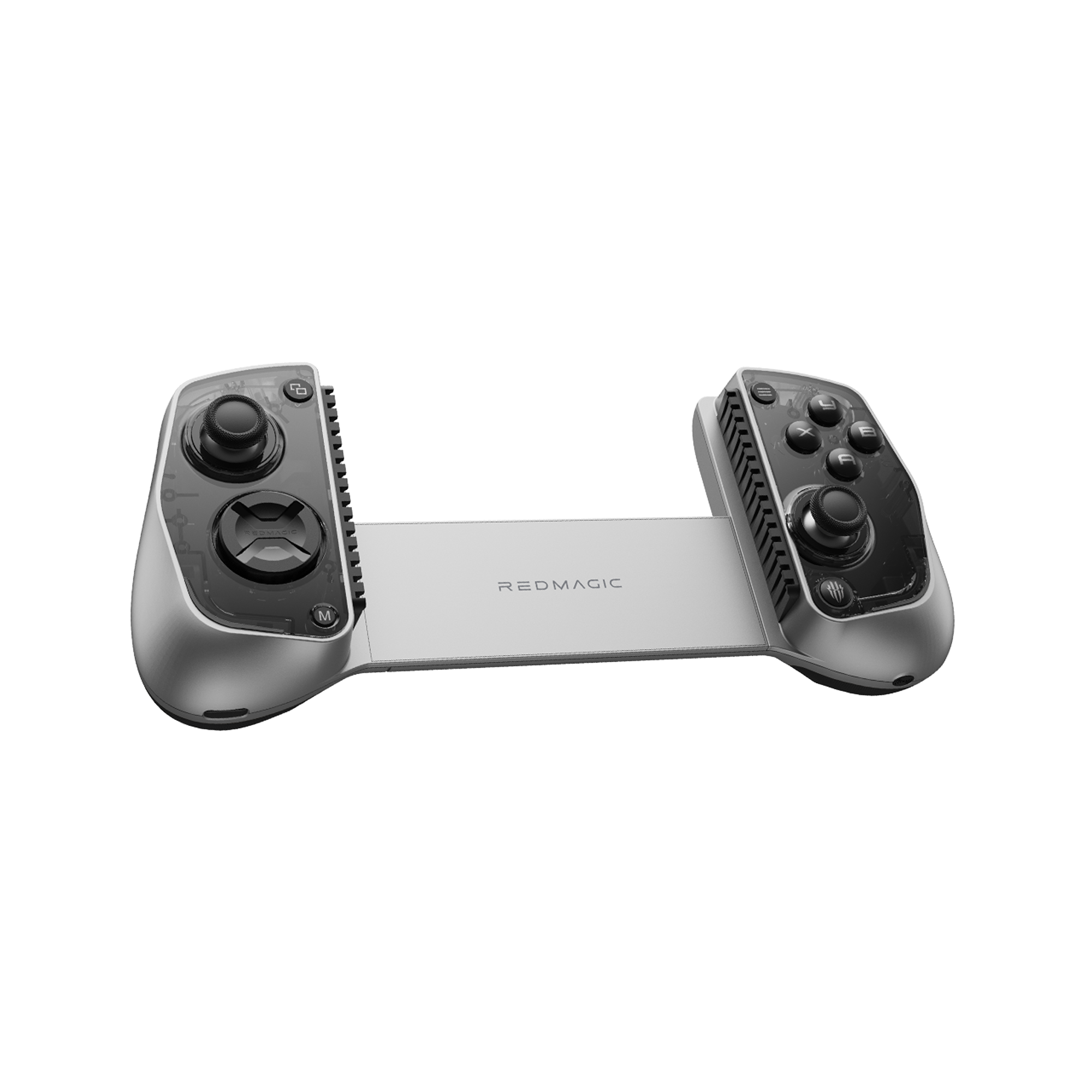
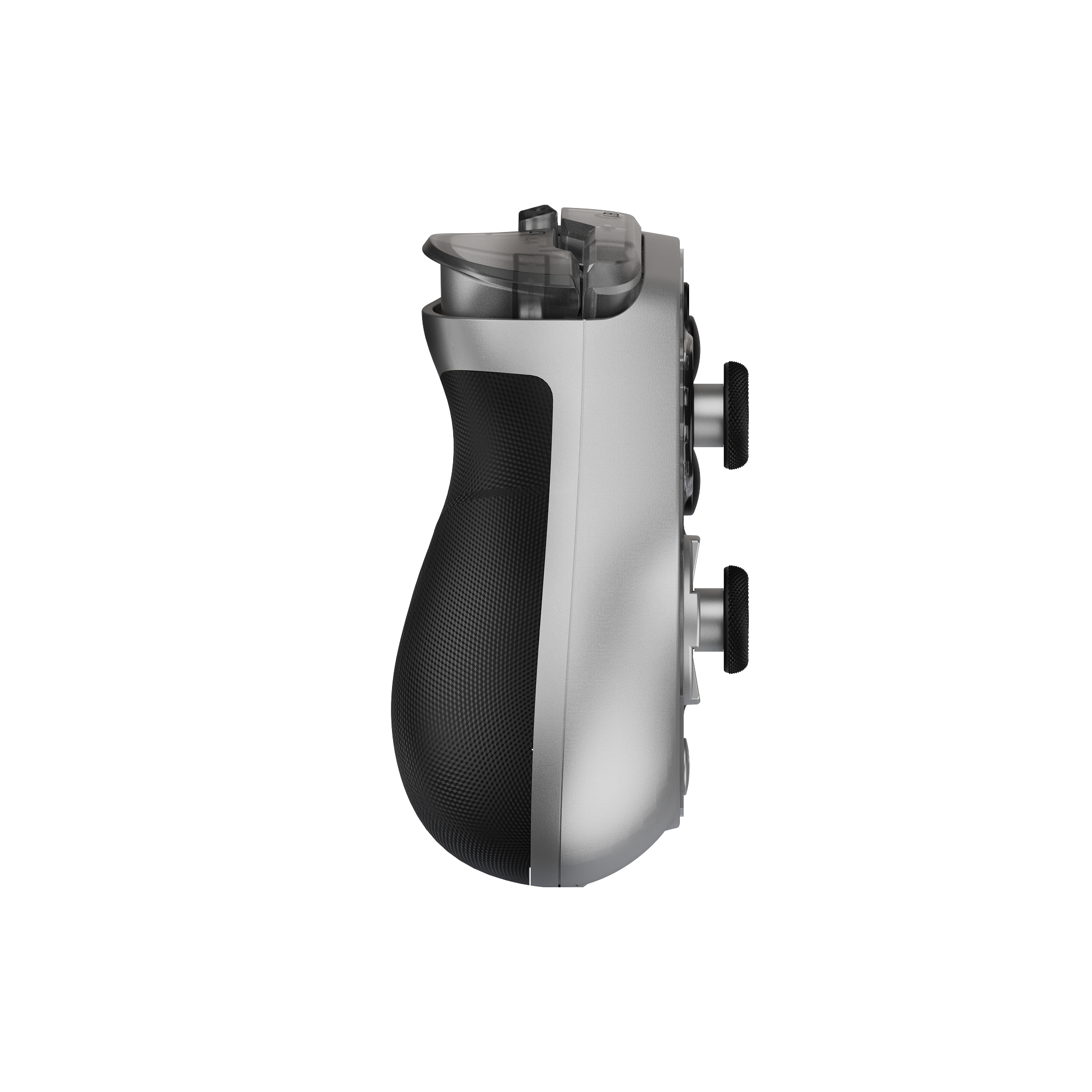
REDMAGIC Shadow Blade Gamepad 3
REDMAGIC Shadow Blade Gamepad 3 – Lightweight, RGB Lighting, Pro-Level Mobile Controller
Experience console-style gaming anywhere with the REDMAGIC Shadow Blade Gamepad 3. Featuring customizable RGB lighting, 6-axis gyroscope, Hall joysticks, and Bluetooth 5.3 compatibility for phones and tablets.
- Regular price
- Desde €124.00
- Sale price
- Desde €124.00
- Regular price
-
€129.00 - Unit price
- per